IrChad
A Discord-style client for IRC, with voice, screen share and encrypted DMs.
Join the official IrChad serverDownloadHost a networkSource code
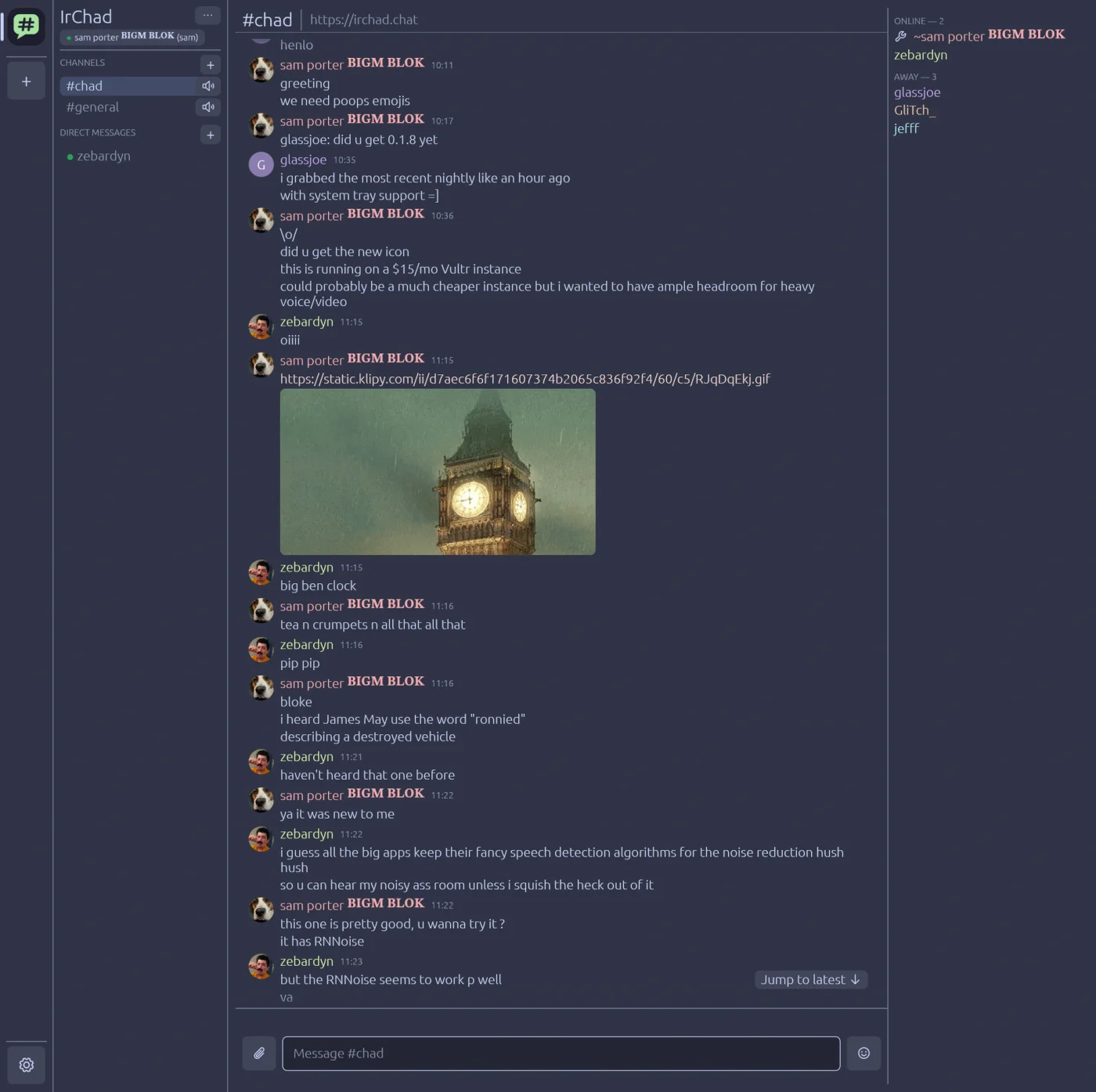
What you get
Paste a link, start chatting
An invite URL carries the whole network config. Log in and you're in your channels, with no server lists or nickserv.
Voice in every channel
Click a channel's speaker and you're talking. It runs on PipeWire natively and has push-to-talk that works on Wayland.
Screen share with audio
Share a screen or a window, sound included, on Wayland, on X11 and on Windows. Hardware encoding is used when your GPU has it.
Encrypted DMs
DMs use the Olm double ratchet. You verify each other's devices by comparing emoji, and the server never sees the plaintext.
It's still IRC
Text goes over IRCv3 to ergo, and everyone on plain IRC clients still sees a normal channel. IrChad's extras fall back to readable text for them.
You host it
One compose file runs ergo, LiveKit and chadd behind Caddy, on your own server with no third party involved.
Features
| Feature | Details | Linux | Windows |
|---|---|---|---|
| Invite links | Paste an https:// or irchad:// link. Join as a guest, log in, or sign up without leaving the app. | ✓ | ✓ |
| Several networks | Be on more than one network at once, each in the server rail. | ✓ | ✓ |
| Always online | Your account stays in its channels after you close the app, the way it does on Discord. Your PC and phone are the same user, not separate nicks, and the network keeps what's said while you're away. No bouncer needed. (Guests are the exception: they leave when they close the app.) | ✓ | ✓ |
| History | Scrollback comes from the server (IRCv3 chathistory) and is cached locally, so it shows up instantly. Read markers sync across your devices. | ✓ | ✓ |
| Replies, reactions, typing | Reply to a message, react with emoji, see who's typing, and delete your own messages. | ✓ | ✓ |
| Emoji and GIFs | An emoji picker, :shortcodes:, and GIF search from the composer or with /gif. | ✓ | ✓ |
| Uploads and previews | Share files and images, with inline media and link previews. Previews are fetched by the server, so your IP isn't leaked. You can also set media to click-to-load. | ✓ | ✓ |
| Profiles and presence | Display names, avatars, and away status that follows your idle time. | ✓ | ✓ |
| Voice channels | Echo cancellation, noise suppression (with optional RNNoise), and voice activity or push-to-talk. Audio is PipeWire-native on Linux. | ✓ | ✓ |
| Soundboard | The network's own clips, played into the call with a separate volume. | ✓ | ✓ |
| Screen share | A screen or a window at 720p30, 1080p60 or source resolution, with hardware encoding where available. | ✓ | ✓ |
| App audio in shares | Share one app's sound without your notifications or music coming along. | ✓ | ✓ |
| Watching shares | Stage view, fullscreen, pop-out, a floating window, or a tile next to your chat. | ✓ | ✓ |
| Encrypted DMs | End-to-end encrypted with Olm. Verify devices by comparing emoji, and get a warning when a contact's keys change. | ✓ | ✓ |
| Desktop integration | Notifications, tray icon, Ctrl+K quick switcher, input methods for CJK, and screen-reader support. | ✓ | ✓ |
| Plays nice with IRC | People on plain IRC clients see normal messages. IrChad's extras fall back to readable text. | ✓ | ✓ |
On Android, voice and watching screen shares work. The rest of the Android app is still in progress.
Download
Linux (Wayland and X11) comes first, and Windows is supported. These links point to the latest release.
Linux
x86_64. Unpack, then run irchad/install.sh (or irchad/irchad directly). Nightly build
Download for LinuxWindows
x86_64 installer. Nightly build
Download for WindowsAndroid
arm64 APK, sideloaded. No nightly builds.
Download for AndroidAdd to Obtainium
Nightly builds are rebuilt each night from main, so expect some breakage. All releases
Host a network
An IrChad network has four parts:
- ergo (2.19 or newer), the IRC server. IrChad only supports ergo.
- LiveKit, which carries voice and screen share.
- chadd, a small server for discovery, login, voice tokens and uploads.
- Caddy, which serves all of them over one HTTPS origin.
The deploy/ directory has a compose file for all four. It's a dev stack, so replace every secret in it before you expose it.
Admins manage the network with any normal IRC client. IrChad doesn't have an admin UI yet.